
Reduced GPT-5.6 rates
Terra and Luna use the current bundled input, cache, output, and reasoning rates for more accurate local estimates.
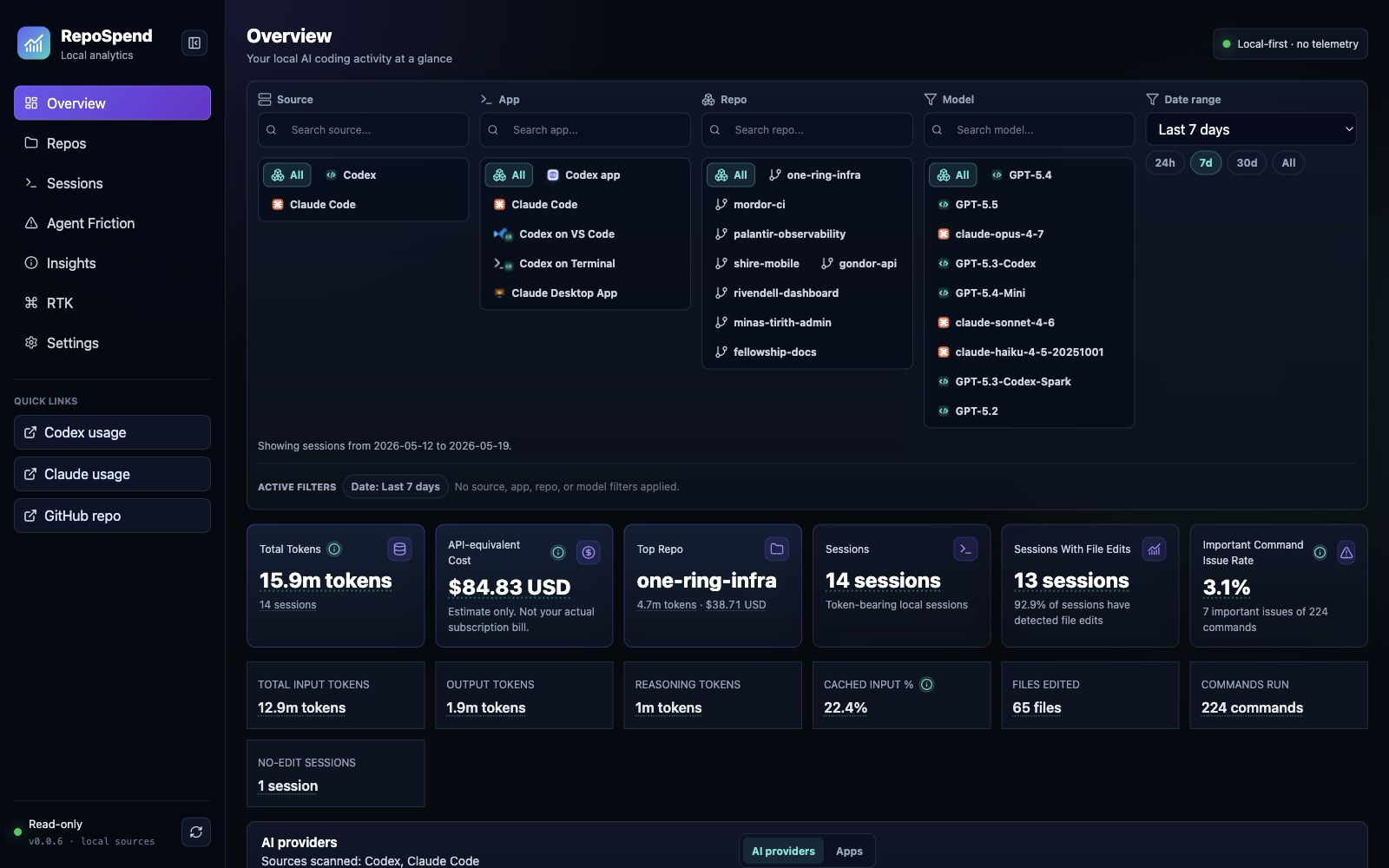
RepoSpend tracks Codex, Claude Code, GitHub Copilot, and opt-in experimental Cursor usage by repo, session, model, and source surface. It reads files already on your disk. No login, no telemetry, no prompt uploads.
Cost precision is strongest for Codex and Claude Code; GitHub Copilot support is initial, and Cursor import is experimental and opt-in.
One screen for every signal that matters: source filters, Start here actions, spend, top repos, cache reuse, command issue rate, and file edits. All grouped by Git root, all running on localhost.
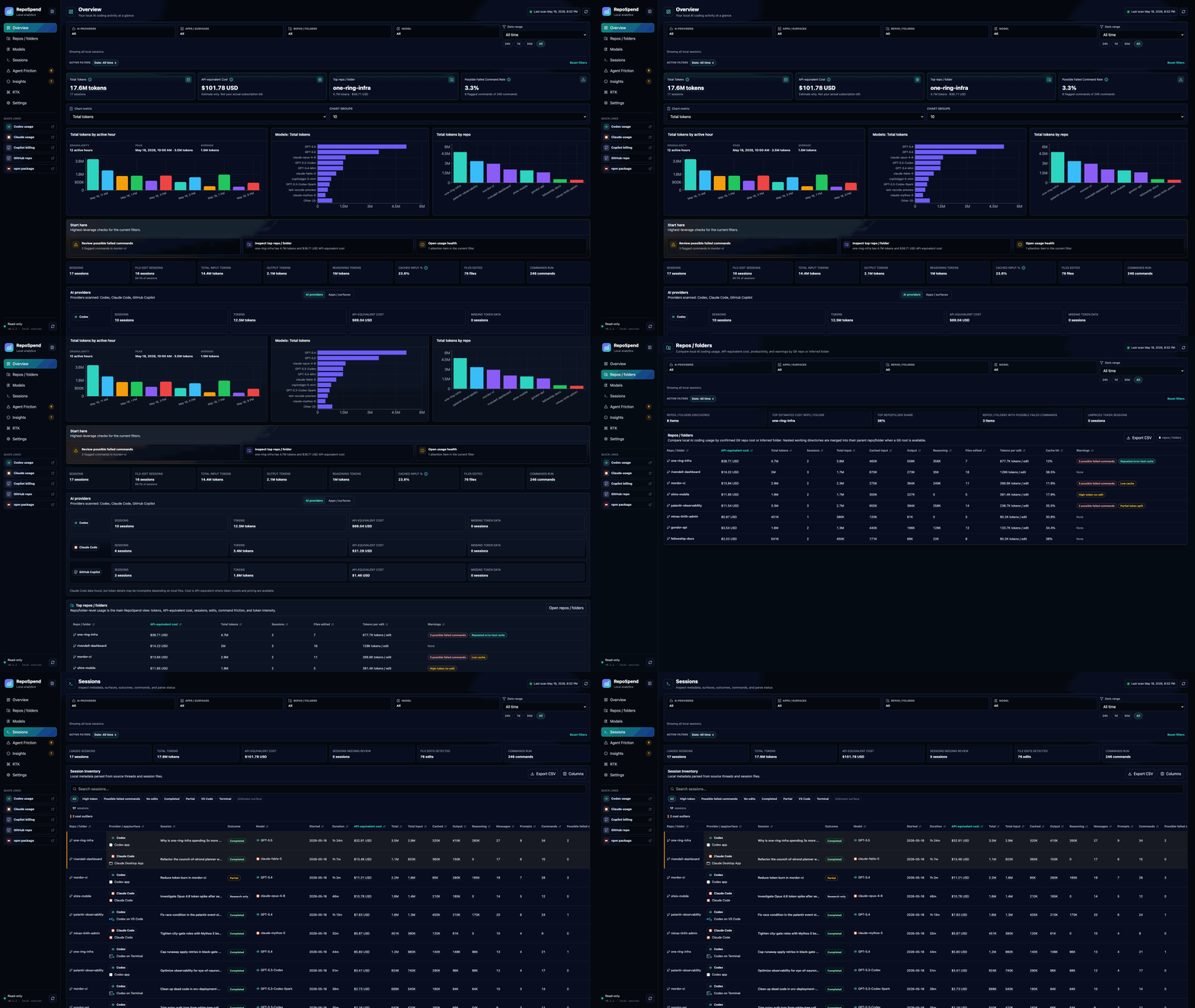
Animated tour with fictional Middle-earth demo data. No private repository data is shown.
The release applies the reduced GPT-5.6 Terra and Luna rates, keeps local pricing overrides aligned with bundled updates, and makes unverified workspace grouping clearer. These remain API-equivalent estimates, not subscription invoices.
Terra and Luna use the current bundled input, cache, output, and reasoning rates for more accurate local estimates.
Unverified workspaces use safe project markers and readable local paths when no Git root is available.
Only custom or intentionally edited rows stay pinned, so future bundled pricing changes can flow into the dashboard.
No vanity metrics. Just the things that tell you, repo by repo and session by session, where tokens and cost went.
Walks sessions to their Git root, so apps, packages, and scripts roll up into the project you recognize.
Codex, Claude Code, GitHub Copilot, and opt-in Cursor imports are separated by local source and app surface.
Compare models by token shape, API-equivalent cost, cache reuse, sessions, and repo concentration.
Separates blocking command failures from harmless shell exits, so high-token troubleshooting loops are easier to triage.
A confidence report explains token coverage, pricing coverage, repo verification, parser issues, and source warnings.
Dashboard-style filters now apply consistently to CLI summaries and JSON or CSV exports.
Click through the real product views. Expand a screenshot when you want to inspect the details without opening the app.
No login, no API keys, no setup wizard. The hardest part is finding your terminal.
One command, and your dashboard opens at localhost:2005.
$ npx repospendScans supported Codex, Claude Code, GitHub Copilot, and enabled Cursor paths in read only mode.
local source files onlyFind the repo using the most tokens, then inspect sessions, command evidence, and data confidence.
localhost:2005RepoSpend binds to localhost. There is no hosted analytics service and no account to create. It is Apache 2.0 and auditable.
No account because there is nothing to store.
The dashboard does not report usage back.
Prompt and tool output stay local.
Source client files are read only.
RepoSpend was built first for Codex and now reads Claude Code and GitHub Copilot local data too. Cursor stays experimental and opt-in. RTK appears when local RTK data exists.
Tokens, models, sessions, repo grouping, command friction, file edits, and API-equivalent cost. Reads ~/.codex/state_5.sqlite and ~/.codex/sessions.
Sessions, projects, models, timestamps, and tokens when available. Unknown token and cost fields stay unknown instead of guessed.
Reads Copilot CLI OTEL exports, CLI session state, and VS Code Copilot Chat transcript/debug files. Costs stay unknown when local token splits are incomplete.
Best-effort local JSONL and SQLite/vscdb discovery. Tokens and cost remain unknown when Cursor does not persist exact usage locally.
Surfaces RTK token savings analytics only when local RTK data exists. Otherwise it stays out of the way.
Power users get terminal friendly commands and source filters. The full help is one --help away.
$repospendOpen the dashboard at localhost:2005
$repospend scanScan supported local Codex, Claude Code, GitHub Copilot, and enabled Cursor files again
$repospend doctorPrint local data confidence, pricing coverage, parser issues, and source warnings
$repospend by-repoAggregate tokens and cost by Git root
$repospend by-dayDaily timeline of token use and spend
$repospend by-hourHourly distribution for spotting unusual bursts
$repospend by-modelSplit usage across model names
$repospend by-appGroup by app or surface where detectable
$repospend export --format jsonDump the local usage data as JSON
$repospend export --format csvExport CSV for a spreadsheet
$repospend by-repo --source copilotFilter aggregates to one source
$repospend export --format csv --repo my-app --from 2026-05-01Apply dashboard-style filters to exports
$REPOSPEND_NO_OPEN=1 repospendPrint the URL without opening a browser
Trust the dashboard before you install it. These are the things people ask first.
No. RepoSpend binds to localhost and reads files already on your machine. There is no login, no telemetry, and no prompt upload path in the dashboard.
No. RepoSpend shows API-equivalent cost estimates from local token counts and pricing rules. It is useful for comparing repos and sessions, but it is not an invoice.
When local Claude Code transcripts expose the 5-minute vs 1-hour cache TTL split, RepoSpend prices each bucket at its own rate instead of forcing all cache writes into one column. The bundled table also includes Claude Sonnet 5 introductory pricing, Opus 4.8 fast mode, Fable 5, and Mythos 5.
Yes. RepoSpend imports local Copilot CLI OTEL exports, Copilot CLI session state, and VS Code Copilot Chat transcript or debug files. Cost stays unknown when local data lacks full token splits.
No. Source client and RTK data are read only. RepoSpend settings, pricing overrides, and parse cache files live under ~/.repospend and can be reset from Settings.
Yes. Install once with npm install -g repospend, then run repospend. Node.js 20 or newer is required.
One command. No account, no upload, no surprise. The dashboard is already on your machine; RepoSpend just turns it into a map.
npx repospend